
General
PTO-Aware On-Call Scheduling: How to Prevent Vacation Coverage Gaps
A practical guide to detecting PTO and on-call conflicts, arranging coverage, handling emergencies, and keeping rotations accurate before alerts fire.
O
OpShift TeamInsights, tutorials, and updates from the OpShift team.
A practical guide to detecting PTO and on-call conflicts, arranging coverage, handling emergencies, and keeping rotations accurate before alerts fire.
Not every webhook event deserves an alert. Here's how to use condition-based filtering to only create alerts that matter.
Not all monitors need 30-second checks. Here's how to configure monitoring intervals, failure thresholds, and grace periods to reduce false positives.
You don't need enterprise tooling to handle incidents well. Here's the minimum viable incident response setup for early-stage teams.
Most post-mortems end with action items that never get done. Here's how to attach RCAs to incidents and track follow-through.
Running on-call across timezones is hard. Here's how to set up follow-the-sun rotations, clean handoffs, and timezone-aware scheduling.
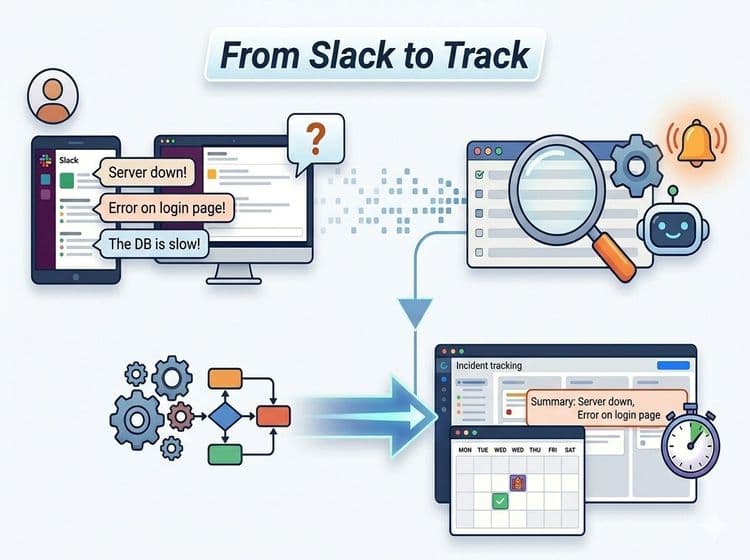
Your team already reports issues in Slack. Here's how to automatically turn keyword matches into tracked alerts without changing anyone's workflow.

When every alert screams for attention, none of them get it. Here's how alert grouping, quiet hours, and severity routing fix the noise.

Most teams pay $500-2,000/month for separate monitoring, on-call, and PTO tools. Here's how to build a complete incident response stack — uptime monitoring, on-call scheduling, multi-channel alerts, and time-off tracking — for under $50.
Get notified when we publish new articles and product updates.
Free Developer plan · Upgrade when you need alerting