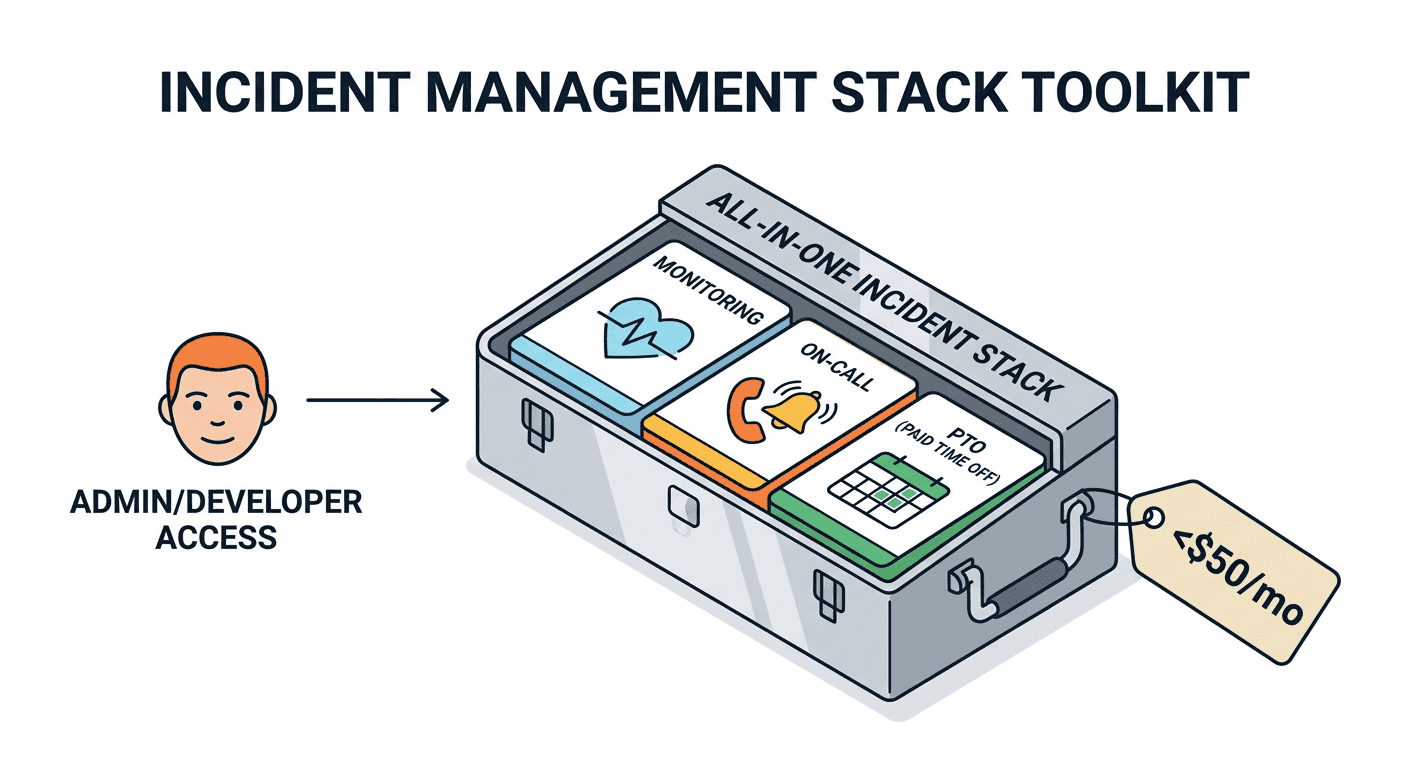
Here's a budget that sounds fake but isn't: $16 to $39 per month for uptime monitoring, on-call scheduling, multi-channel notifications (Slack, SMS, phone), alert management, and PTO tracking. For your entire team.
Most engineering teams spend $500 to $2,000/month cobbling together separate tools for each of these functions. They pay one vendor for monitoring, another for on-call, and use a spreadsheet or HR tool for PTO — then wonder why their incident response has gaps.
This guide shows you what a complete incident response stack actually needs, why most teams are overpaying by 10x or more, and how to build the whole thing for a flat $16-39 per month.
The Three-Tool Problem
Here's what a typical engineering team's ops stack looks like:
Tool 1: Uptime Monitoring — $24-50/month Pings your services, tells you when things are down. Basic. Essential. Most tools do this well.
Tool 2: On-Call & Incident Management — $140-2,500/month The expensive one. On-call scheduling, alert routing, escalation policies, notifications via SMS and phone. This is where per-seat pricing hits hardest — mainstream tools run $20-25 per user per month (PagerDuty Professional is $25, incident.io and Rootly are $20), and premium tiers reach $39-49.
Tool 3: PTO & Availability — $25-250/month Usually a dedicated leave tracker ($2-4 per user: Vacation Tracker, Timetastic, AttendanceBot), an HR suite (BambooHR has a ~$250/month minimum), or a shared Google Calendar. Tracks who's on vacation, who's available. Completely disconnected from on-call scheduling.
The glue between them: Webhooks — $0 but fragile Your monitoring tool fires a webhook to your on-call tool. Your on-call tool checks a... spreadsheet? to see who's actually available. The webhook breaks silently during a configuration change. Nobody notices until the next outage.
<!-- Image: fragmented-stack -->What this costs for a 20-person team:
| Tool | Monthly Cost | Annual Cost |
|---|---|---|
| Uptime monitoring (UptimeRobot Team class) | $30 | $360 |
| On-call (PagerDuty Professional, $25/user x 20) | $500 | $6,000 |
| PTO tracking (Vacation Tracker class, $3/user x 20) | $60 | $720 |
| Total | $590 | $7,080 |
And that's the conservative estimate, at July 2026 list prices with monthly billing. Premium on-call tiers run higher — PagerDuty Business is $49/user, xMatters is $39 — pushing the same 20-person total past $12,000/year.
For context, $12,000/year is roughly what you'd spend on a solid staging environment or a year of CI/CD. Except those things actually improve your product. The three-tool stack just keeps the lights on.
What a Complete Stack Actually Needs
Before talking about tools, let's define what "complete" means. A functioning incident response setup needs eight capabilities:
1. Uptime Monitoring
Your services and cron jobs ping the platform at regular intervals; a missed ping means something is wrong. Know when they're down before your users do. Support configurable intervals (every 60 seconds to every hour), failure thresholds (alert after 3 consecutive missed pings, not 1), and grace periods for jobs that occasionally run late.
2. On-Call Scheduling
A rotation schedule that answers one question clearly: "Who is responsible right now?" Support weekly and daily rotations, timezone awareness for distributed teams, and override slots for one-off coverage swaps.
3. Multi-Channel Notifications
Slack is not enough. At 3 AM, your on-call engineer has Slack on Do Not Disturb. You need an escalation ladder: try Slack first, then SMS after 10 minutes, then phone call after 15 minutes. SMS and phone paging should be part of the base product, not a per-seat add-on. (A metered allowance for telecom-backed channels is reasonable — per-user channel gating is not.)
4. Escalation Policies
If the primary on-call doesn't acknowledge in 15 minutes, escalate to the secondary. If no one responds in 30 minutes, page the whole team. These rules should be configurable per severity — critical alerts escalate faster than warnings.
5. Alert Grouping & Deduplication
When your API goes down, you don't want 47 separate alerts. You want one alert that says "API is down — 47 occurrences in the last 30 minutes." Grouped alerts reduce noise and give better signal about the scope of an issue.
6. PTO & Availability Awareness
Your on-call tool should know that Sarah is on vacation next week and automatically adjust the rotation. This sounds basic, but it requires PTO tracking to be integrated with on-call scheduling — not living in a separate HR tool that nobody checks.
7. Quiet Hours & Smart Routing
Low-severity alerts at 2 AM should not wake anyone up. Critical alerts should always escalate, regardless of time. This requires per-user quiet hours plus severity-aware escalation steps that can bypass them — not a binary on/off for notifications.
8. Post-Incident Documentation
After the incident is resolved, where does the Root Cause Analysis live? If it's in a Google Doc that gets lost in Drive, it's not useful. RCA should be attached to the incident itself, versioned, and searchable.
<!-- Image: complete-stack-checklist -->The Real Cost Comparison
Now let's compare: the fragmented three-tool approach versus a unified platform that includes all eight capabilities.
Fragmented Stack (Separate Tools)
| Component | Tool Example | Cost Model | 20-Person Team |
|---|---|---|---|
| Monitoring | Standalone monitor | $30/mo flat | $30/mo |
| On-Call | Per-seat platform | $25/user/mo | $500/mo |
| PTO | Leave tracker or HR tool | $3/user/mo | $60/mo |
| Integration maintenance | Engineer time | ~4 hrs/month | ~$300/mo* |
| Total | $890/mo |
*Valued at $75/hr for engineer time maintaining webhook integrations, debugging broken connections, and reconciling PTO calendars with on-call schedules.
Unified Platform (Everything Included)
| Component | Included | Cost |
|---|---|---|
| Monitoring | Up to 100 monitors | Included |
| On-Call scheduling | Full rotation + escalation | Included |
| Multi-channel alerts | Slack, SMS, phone, email | Included |
| PTO management | Policies, approvals, blackout dates | Included |
| Alert grouping | Fingerprint-based deduplication | Included |
| Quiet hours | Per-user do-not-disturb windows | Included |
| RCA tracking | Version-controlled, per-incident | Included |
| Total — Basic (up to 100 team members) | $16/mo | |
| Total — Pro (more SMS/voice credits) | $39/mo |
Annual Savings
| Team Size | Fragmented (Annual) | Unified (Annual) | You Save |
|---|---|---|---|
| 10 people | $3,720 | $192 | $3,528 |
| 25 people | $8,760 | $192 | $8,568 |
| 50 people | $17,160 | $192 | $16,968 |
| 100 people | $33,960 | $192–$468 | $33,500+ |
Fragmented cost = $30/month monitoring + $25/user on-call + $3/user PTO, at July 2026 list prices with monthly billing. Subscription costs only — the engineer time maintaining the glue between tools is on top.
That's not a rounding error. For a 50-person team, it's about $17,000 a year back.
Beyond Cost: Why Unified is Better
Saving money is great. But the real advantage of a unified stack isn't cost — it's reliability.
No Webhook Gaps
When monitoring and on-call live in the same platform, there's no webhook to break. A monitor detects downtime, the system immediately checks who's on-call, and sends notifications through the configured escalation policy. Zero handoff points, zero silent failures.
In a fragmented stack, the monitoring tool sends a webhook to the on-call tool. If the webhook URL changes, if the payload format updates, if there's a network timeout — the alert never arrives. Your service is down and nobody knows.
PTO-Aware Scheduling
Here's a scenario that plays out every month in teams with separate tools:
Monday morning. The primary on-call is Sarah. Sarah is in Bali on PTO. Her phone is off. An alert fires. The on-call tool pages Sarah. No response. 15 minutes later, it escalates to the secondary — James. James is also on PTO (he and Sarah coordinated their vacations). 30 minutes later, the entire team gets paged.
Total time to first human response: 30+ minutes.
With integrated PTO, the system knows Sarah and James are on PTO before the alert fires. It skips them and pages the next available engineer immediately. Response time: under 5 minutes.
Consistent Alert Context
When an alert moves from monitoring to on-call to post-incident review in the same platform, all the context travels with it. The on-call engineer sees the monitor's history, the failure threshold, the last 10 pings — not just a generic "service is down" message. The RCA includes the full timeline from detection to resolution. No context is lost switching between tools.
One Dashboard, One Source of Truth
When your CTO asks "what happened last night?", you don't need to cross-reference three different tools. One dashboard shows: which monitor triggered, who was on-call, how fast they responded, what the resolution was, and whether this is a recurring issue.
How to Build This Stack Today
Here's the step-by-step for going from fragmented to unified:
Step 1: Audit Your Current Spend
List every tool your team uses for monitoring, on-call, and availability. Include:
- Monthly subscription costs
- Per-seat costs (multiply by current team size AND projected 12-month team size)
- Integration maintenance time (hours per month)
- Number of times a webhook or integration broke in the last 6 months
Most teams are shocked by the total. It's almost always higher than they thought.
Step 2: Define Your Requirements
Use the eight-capability checklist above. For each capability, mark whether your current stack covers it:
- Uptime monitoring: Covered / Not covered
- On-call scheduling: Covered / Not covered
- Multi-channel notifications: Covered / Not covered
- Escalation policies: Covered / Not covered
- Alert grouping: Covered / Not covered
- PTO awareness: Covered / Not covered (this one is almost always "not covered")
- Quiet hours: Covered / Not covered
- Post-incident RCA: Covered / Not covered
Step 3: Evaluate Unified Alternatives
Look for platforms that cover all eight capabilities in a single tool. Key criteria:
- Pricing: Flat-rate, not per-seat
- Notifications: SMS, phone, and Slack included at base tier
- PTO integration: Built-in, not a third-party add-on
- Migration path: Can you import existing monitors and schedules?
Step 4: Run Both in Parallel
Don't rip out your existing stack on day one. Run the unified platform alongside your current tools for 2-4 weeks. Verify that:
- Monitors detect downtime at the same speed
- Notifications arrive through all channels
- On-call schedules work correctly across timezones
- PTO requests automatically adjust on-call coverage
Step 5: Cut Over
Once validated, cancel the old tools. Redirect any external webhooks to the new platform. Update your team's documentation. Enjoy your $5,000-46,000 in annual savings.
Common Objections
"Enterprise tools have more integrations"
Yes, some enterprise on-call tools have 500+ integrations. How many do you use? Most teams use 3-5: Slack, their monitoring tool, their CI/CD pipeline, and maybe Datadog or Sentry. If a unified platform supports webhooks and Slack, it covers 90% of use cases. The other 490 integrations are just padding for a features page.
"We need SOC 2 / compliance features"
Fair concern. But SOC 2 compliance is about how data is handled, not how many integrations a tool has. A smaller, focused platform can be SOC 2 compliant just as well as an enterprise one — often with simpler audit trails because there are fewer moving parts.
"What if we outgrow it?"
This is the best objection, because it has a concrete answer. A flat-rate tool at $16-39/month supports up to 100 team members. If you have more than 100 engineers on-call, you're past the small-team band this stack targets and into custom-pricing territory. For the teams this guide is written for — 5 to 100 engineers — 100 seats is more than enough.
"Free tools exist (Grafana OnCall, Prometheus Alertmanager)"
They do. And the sticker price is $0. But the real cost is engineer time: setting up, maintaining, upgrading, and troubleshooting self-hosted infrastructure. For a 20-person team, even 4 hours/month of maintenance at $75/hour costs $3,600/year — more than a flat-rate platform's annual cost. "Free" is rarely free.
The Bottom Line
A complete incident response stack needs monitoring, on-call scheduling, multi-channel notifications, escalation policies, alert grouping, PTO awareness, quiet hours, and post-incident documentation.
Most teams pay $500-2,000/month for this by stitching together three or more tools. The webhooks between them break. The PTO calendar doesn't sync with on-call. The budget grows linearly with headcount.
Or you can run the entire stack for $16-39/month on a unified platform. Same capabilities. No per-seat charges. No integration maintenance. No coverage gaps when someone's on vacation.
The math isn't complicated. The only question is how much longer you want to keep overpaying.
OpShift includes uptime monitoring, on-call scheduling, multi-channel notifications (Slack, SMS, phone), PTO management, alert grouping, quiet hours, and RCA — all for $16/month (Basic) or $39/month (Pro), both up to 100 team members. No per-seat pricing. Try it free.