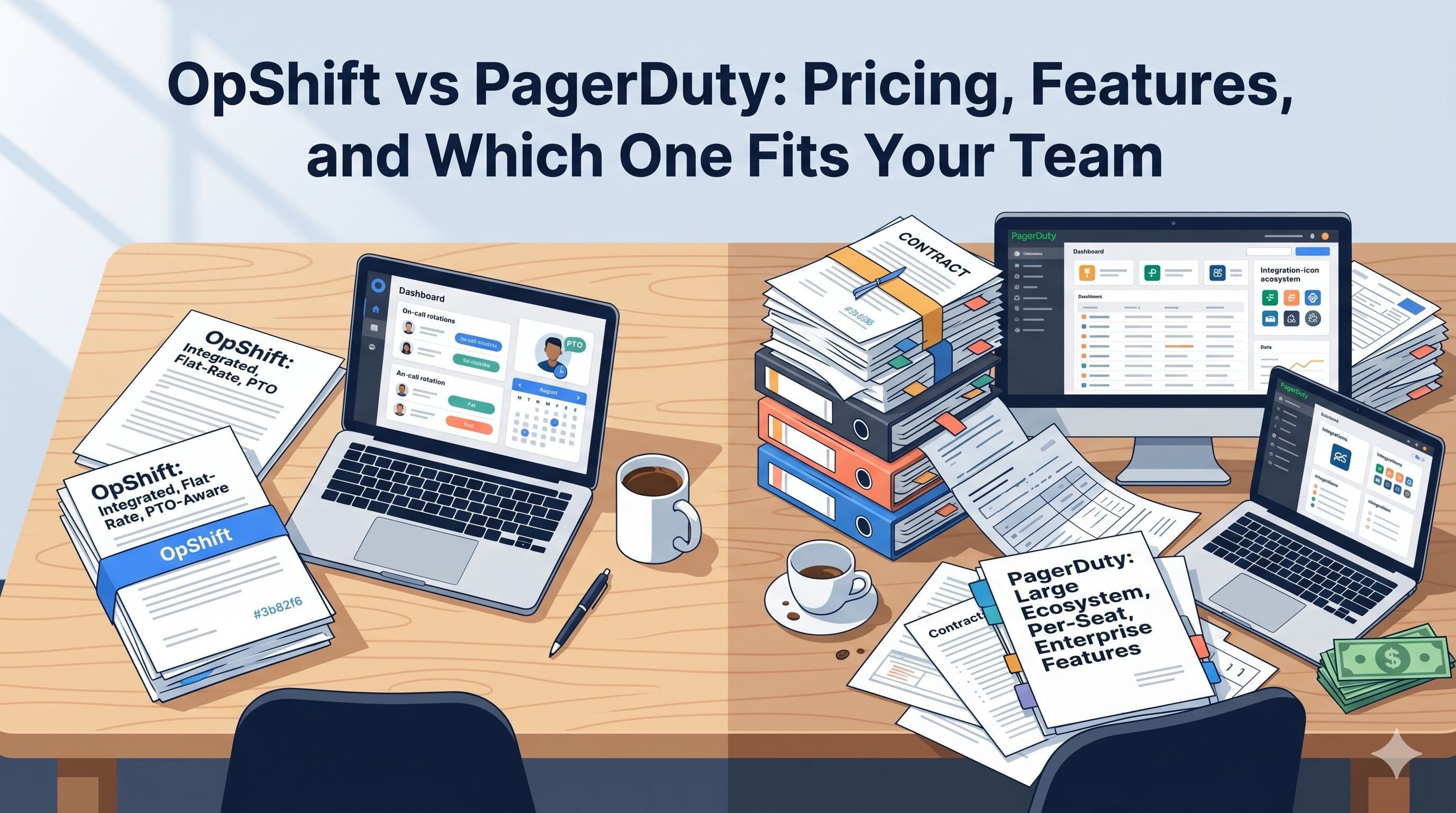
We're going to be upfront: this is written by the OpShift team, so we have a bias. But we're also engineers, and engineers respect honest data. So here's what we'll do: lay out the facts on pricing and features, acknowledge where PagerDuty is genuinely stronger, and let you decide.
If you just want the summary: PagerDuty is the established enterprise choice with the largest ecosystem. OpShift is the affordable alternative that bundles monitoring, on-call, and PTO management into a single flat-rate platform. Which one you choose depends on your team size, budget, and what you actually need.
The Quick Overview
| OpShift | PagerDuty | |
|---|---|---|
| Founded | 2025 | 2009 |
| Pricing model | Flat-rate (per team) | Per-seat (per user) |
| Starting price | Free (1 user) / $16/mo Basic (up to 100 users) / $39/mo Pro | Free (up to 5 users) / $21/user/mo |
| On-call scheduling | Yes (all tiers) | Yes (all tiers) |
| Uptime monitoring | Built-in | Via integrations |
| PTO management | Built-in | No |
| Notification channels | Slack, SMS, Phone, WhatsApp, Email | Slack, SMS, Phone, Email, Push |
| Integrations | Slack, Webhooks, API | 700+ native integrations |
| Target audience | Startups to mid-market | Mid-market to enterprise |
Pricing: The Biggest Difference
This is where the two platforms diverge most significantly.
PagerDuty Pricing
PagerDuty uses per-seat pricing across all paid tiers:
| Tier | Per User/Month | 10 Users | 20 Users | 50 Users |
|---|---|---|---|---|
| Free | $0 | $0 (max 5) | N/A | N/A |
| Professional | ~$21 | $210 | $420 | $1,050 |
| Business | ~$41 | $410 | $820 | $2,050 |
| Enterprise | Custom | Custom | Custom | Custom |
Key details:
- Free tier is limited to 5 users with basic features
- SMS and phone notifications require Professional tier or above
- Advanced features (AIOps, event orchestration) require Business or Enterprise
- Prices are per user per month, billed annually
OpShift Pricing
OpShift uses flat-rate pricing — you pay per team, not per person:
| Tier | Monthly | Team Members | Monitors | Communication Credits |
|---|---|---|---|---|
| Developer | $0 | 1 | 5 | 100 |
| Basic | $16 | Up to 100 | 100 | 100 |
| Pro | $39 | Up to 100 | 100 | 2,500 |
Annual billing: −10%.
Key details:
- All notification channels (Slack, SMS, Phone, WhatsApp) included on every paid tier
- On-call scheduling, PTO management, and uptime monitoring included at every tier
- No per-user charges at any level
- The main difference between Basic and Pro is included communication credits — Pro is for teams that page heavily over SMS/Voice. Slack delivery is free.
What This Means in Real Numbers
<!-- Image: pricing-comparison-chart -->| Team Size | PagerDuty (Professional) | PagerDuty (Business) | OpShift |
|---|---|---|---|
| 5 users | $105/mo ($1,260/yr) | $205/mo ($2,460/yr) | $16/mo ($192/yr) — Basic |
| 10 users | $210/mo ($2,520/yr) | $410/mo ($4,920/yr) | $16/mo ($192/yr) — Basic |
| 20 users | $420/mo ($5,040/yr) | $820/mo ($9,840/yr) | $16/mo ($192/yr) — Basic |
| 50 users | $1,050/mo ($12,600/yr) | $2,050/mo ($24,600/yr) | $16–$39/mo ($192–$468/yr) |
| 100 users | $2,100/mo ($25,200/yr) | $4,100/mo ($49,200/yr) | $16–$39/mo ($192–$468/yr) |
A 50-person team on PagerDuty Professional pays $12,600/year. The same team on OpShift Basic pays $192/year — and includes uptime monitoring and PTO management that PagerDuty doesn't.
PagerDuty's higher price reflects a larger feature set, a 15-year-old integration ecosystem, and enterprise compliance certifications. You're paying for those extras whether you use them or not. Whether they're worth the difference depends on your team's needs — we'll get into specific scenarios below.
(One caveat: OpShift's tiers cap at 100 team members today. Teams larger than 100 should talk to us about custom pricing — there's no auto-scaling above 100.)
Feature Comparison
Where PagerDuty Wins
Let's start with what PagerDuty does better. Ignoring this would make this comparison dishonest.
Integration ecosystem: PagerDuty has 700+ native integrations. AWS CloudWatch, Datadog, New Relic, Splunk, Jira, ServiceNow — if a tool exists in the DevOps ecosystem, PagerDuty probably has a pre-built integration for it. OpShift supports webhooks and Slack natively, which covers most use cases, but you won't find a one-click Datadog integration.
Enterprise features: PagerDuty offers AIOps (ML-based alert correlation), event orchestration, change events, and advanced analytics. For large organizations with complex incident management needs, these features are valuable. OpShift doesn't offer AI-powered features — it focuses on getting the fundamentals right.
Track record: PagerDuty has been running since 2009. They've handled billions of incidents across thousands of enterprise customers. They're publicly traded. Their uptime and reliability are proven at massive scale. OpShift is newer and building that track record.
Compliance and certifications: PagerDuty has SOC 2 Type II, GDPR, HIPAA, and FedRAMP certifications. For organizations with strict compliance requirements, this matters significantly.
Advanced scheduling: PagerDuty's scheduling supports complex multi-layer rotations, restriction-based schedules, and round-robin assignment. While OpShift covers daily/weekly rotations and custom slots, PagerDuty offers more scheduling permutations.
Where OpShift Wins
Pricing: Already covered above. For teams of 5–100, OpShift typically lands between 80% and 99% lower on annual cost — and includes monitoring and PTO that PagerDuty doesn't bundle. The exact savings depend on which PagerDuty tier you're comparing against.
Built-in uptime monitoring: OpShift includes heartbeat monitors that ping your services and create alerts when they go down. Configurable intervals, failure thresholds, grace periods, and cooldown windows. PagerDuty doesn't have built-in monitoring — you need a separate tool (Pingdom, UptimeRobot, etc.) and a webhook integration.
Built-in PTO management: This is OpShift's most unique feature. Full PTO tracking — policies, approval workflows, balances, blackout dates — integrated directly with on-call scheduling. When an engineer is on PTO, the on-call system knows. PagerDuty has no PTO capabilities and requires a separate HR tool.
Slack channel monitoring: OpShift can monitor Slack channels for specific keywords and automatically create alerts. Configure include/exclude keywords, set severity per channel, and group related messages. PagerDuty sends alerts to Slack but doesn't monitor Slack channels for incident signals.
Alert grouping strategies: OpShift offers multiple grouping approaches — by keyword, title, external link, or custom fingerprint. PagerDuty has intelligent alert grouping in their AIOps add-on (Business tier), but it's not available on lower tiers.
Quiet hours with severity routing: OpShift lets you suppress low-priority alerts during off-hours while always escalating critical ones. Configure different behaviors per severity level. PagerDuty has notification rules, but the severity-based quiet hours model is more intuitive.
Notification digests: OpShift batches non-urgent alerts into hourly or daily summaries. Instead of 15 low-priority pings overnight, you get one morning digest. PagerDuty doesn't offer built-in digest functionality.
Simplicity: OpShift has fewer features, and that's intentional. There's no menu with 47 options. On-call setup takes minutes, not hours. For teams that want to set up incident response quickly and move on to building product, simplicity is a feature.
<!-- Image: feature-comparison-matrix -->Feature-by-Feature Matrix
| Feature | OpShift | PagerDuty |
|---|---|---|
| On-call scheduling | All tiers | All tiers |
| Multi-channel notifications (Slack, SMS, Phone) | All paid tiers | Professional+ |
| WhatsApp notifications | All paid tiers | No |
| Escalation policies | All tiers | All tiers |
| Uptime/heartbeat monitoring | Built-in (all tiers) | Via integration |
| PTO management | Built-in (all tiers) | No |
| Slack channel monitoring | Built-in | No |
| Alert grouping/deduplication | All tiers | Business+ (AIOps) |
| Quiet hours (severity-based) | All tiers | Limited |
| Notification digests | All tiers | No |
| Webhook ingestion with filters | All tiers | All tiers |
| Root cause analysis tracking | All tiers | Business+ |
| AIOps / ML correlation | No | Business+ |
| 700+ integrations | No (webhooks + Slack) | Yes |
| Mobile app | No | Yes |
| Status pages | No | Add-on |
| Change events | No | Yes |
| HIPAA / FedRAMP compliance | No | Yes |
Common Scenarios
Scenario 1: 10-Person Startup
Your situation: You're a startup with 10 engineers. You need basic on-call scheduling, uptime monitoring for your production services, and multi-channel notifications. Budget matters — every dollar counts.
PagerDuty cost: $210/month (Professional) = $2,520/year. Plus you'll need a separate monitoring tool (~$30/month = $360/year). Total: $2,880/year.
OpShift cost: $16/month (Basic) = $192/year. Monitoring is included. Total: $192/year.
Difference: $2,688/year saved with OpShift.
Recommendation: OpShift. At this stage, you need reliable on-call and monitoring, not 700 integrations. The savings cover most of a senior engineer's monthly salary.
Scenario 2: 50-Person Scale-Up
Your situation: 50 engineers across multiple teams. You need on-call rotations per team, PTO tracking, and escalation across teams. You're growing fast and hiring every quarter.
PagerDuty cost: $1,050/month (Professional) = $12,600/year. Plus monitoring and PTO tools. Total: ~$15,000/year.
OpShift cost: $16–$39/month (Basic or Pro, both cover up to 100 team members) = $192–$468/year. Everything included.
Difference: ~$14,500/year saved with OpShift.
Recommendation: OpShift, unless you have hard compliance requirements (HIPAA, FedRAMP) that require PagerDuty's certifications. The PTO integration alone is worth the switch — at 50 people, manually coordinating PTO and on-call is a part-time job for someone.
Scenario 3: 200-Person Enterprise with Complex Needs
Your situation: 200 engineers, strict SOC 2 and HIPAA requirements, deep integration with ServiceNow and Jira, multiple on-call tiers with complex routing rules. You have a dedicated platform engineering team managing your incident tooling.
PagerDuty cost: $8,200/month (Business) = $98,400/year. The budget is there, and the features justify it.
OpShift cost: Not the right fit today. OpShift's tiers cap at 100 team members, and we don't currently offer the regulated-compliance certifications (HIPAA, FedRAMP) you need. We can have a custom-pricing conversation, but we'd be honest with you about the feature gaps.
Recommendation: PagerDuty. Their enterprise features — AIOps, ServiceNow integration, HIPAA compliance, advanced event orchestration — are genuinely valuable at this scale, and the certifications are non-negotiable. OpShift is built for the 5–100 engineer band; once you're past that with regulated workloads, the comparison stops making sense.
Who Should Choose What
<!-- Image: who-should-choose -->Choose PagerDuty if:
- You need HIPAA, FedRAMP, or other regulated compliance certifications
- You require native integrations with 50+ specific tools in your stack
- You need AIOps features for ML-based alert correlation at high volume
- You have a platform engineering team dedicated to managing incident tooling
- You're a large enterprise where $25K-100K/year for incident management is a rounding error
- You need a mobile app for on-call management
Choose OpShift if:
- Your team is between 5 and 100 engineers and you want to pay roughly 80–99% less than per-seat tools
- You want uptime monitoring and on-call in the same tool (no webhook duct tape)
- You need PTO management integrated with on-call scheduling
- You want flat-rate pricing that doesn't penalize you for hiring
- You want to be set up in minutes, not days
- Your integration needs are covered by Slack and webhooks
- You're a startup, small team, or mid-market company focused on fundamentals
- You want multi-channel notifications (including WhatsApp) at no extra cost
Not Sure?
Start with OpShift's free Developer tier. Set up a monitor, create an on-call schedule, and see if the feature set covers your needs. If you find yourself needing something OpShift doesn't offer, you'll know exactly what that feature is — and whether it's worth the price difference.
Migration: Moving from PagerDuty to OpShift
If you're considering the switch, here's what the transition looks like:
What's straightforward:
- On-call schedules: Recreate your rotations in OpShift (weekly/daily rotation setup takes minutes)
- Escalation policies: Map your PagerDuty escalation policies to OpShift notification policies
- Notification channels: Configure Slack, SMS, and phone numbers for your team
- Monitoring: If you were using a separate monitoring tool with PagerDuty, set up the same monitors natively in OpShift
What you'll gain:
- PTO management: Set up PTO policies and start tracking availability immediately
- Slack monitoring: Add keyword listeners to channels you weren't monitoring before
- Quiet hours: Configure severity-based routing to reduce noise
- Budget relief: See the savings on your next invoice
What you'll lose:
- Native integrations: If you used PagerDuty's Datadog or New Relic integrations, you'll need to set up webhook-based alternatives
- AIOps features: If you relied on ML-based alert correlation, OpShift doesn't have this
- Mobile app: OpShift is web-based; PagerDuty has native mobile apps
Recommended approach:
Run both platforms in parallel for 2-4 weeks. Route alerts to both. Verify that OpShift catches everything PagerDuty catches. Once you're confident, cut over.
The Bottom Line
PagerDuty built the on-call category and remains the market leader for good reason — mature ecosystem, enterprise compliance, and proven scale. If those are your requirements, PagerDuty delivers.
But most teams don't need 700 integrations, AIOps, or FedRAMP compliance. They need reliable monitoring, clear on-call scheduling, multi-channel notifications, and maybe PTO tracking so their engineers don't get paged on vacation. For those teams, OpShift delivers the same core outcome at a fraction of the cost.
The honest answer is: try both. PagerDuty has a free tier. OpShift has a free tier. Set up the same monitors, the same schedules, and the same escalation policies. See which one gives you what you need. Then check the invoice.
OpShift: On-call scheduling, uptime monitoring, multi-channel notifications, and PTO management — starting at $16/month for up to 100 team members. No per-seat charges. Start for free.