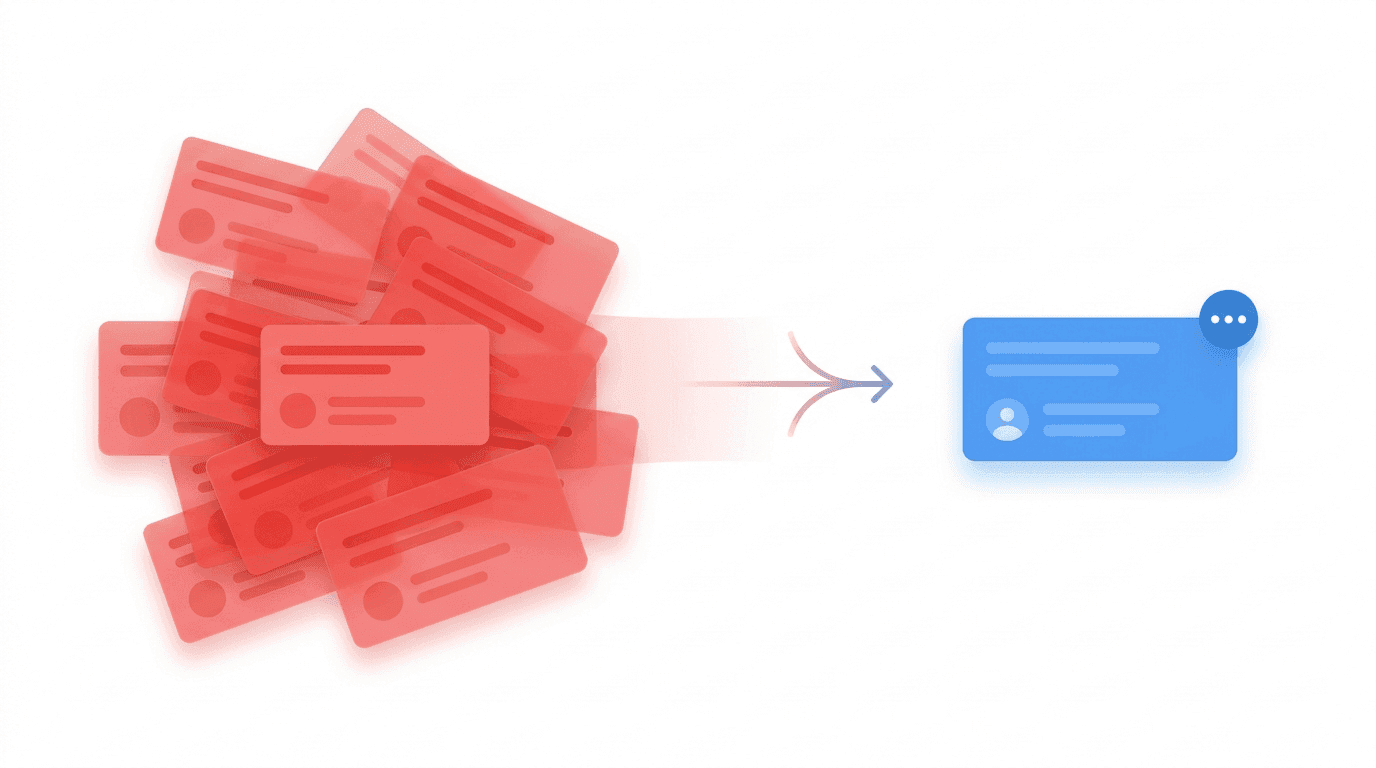
Why Your Team Ignores Alerts (And How to Fix It with Intelligent Grouping)
It's 3:17 AM. Your phone has buzzed seventeen times in the last ten minutes. Each message is the same monitor, the same endpoint, the same timeout. You silence your phone, roll over, and tell yourself you'll look at it in the morning.
By the time you do, the incident has been "ongoing" for six hours. Your morning standup becomes a postmortem. Somewhere in that flood of notifications was the one that actually mattered — maybe a dependent service that failed halfway through — but you can't tell anymore because they all look the same.
This is alert fatigue. And it isn't a people problem. It's a design problem.
The Real Cost of Alert Noise
The engineering folklore is that alert fatigue makes people miss things. That's true, but it undersells the damage. When every failure generates a new alert, three things break simultaneously:
- Signal collapses into noise. A hundred identical pages for the same outage crowd out the one novel alert that's actually new.
- Incident timelines become unreadable. When you're trying to reconstruct what happened, scrolling through 200 "Monitor X is down" notifications to find the one that says "Database failover triggered" is how you miss the real cause.
- Trust in the monitoring system erodes. Once engineers learn that most alerts are duplicates, they start ignoring the first one too.
The traditional fix — "just tune your thresholds" — is a local optimum. You end up with monitoring that's either too noisy or too quiet, and you spend your afternoons adjusting it instead of shipping features.
Why Traditional Monitoring Gets It Wrong
Most monitoring tools treat every failure event as a new, independent alert. From the system's perspective, each down ping at 3:00, 3:01, 3:02 is a distinct "thing happened" and deserves a notification.
But that's not how humans experience incidents. To the on-call engineer, monitor-x being down at 3:00 and still being down at 3:01 is the same incident in two different points in time. The first alert is urgent. The second is redundant. The seventeenth is actively harmful.
What we actually want is a system that says:
"There's one incident. It's been going on for 17 minutes. It's happened 17 times. Here's the history."
Not seventeen separate "incidents."
A Better Model: One Alert, Many Occurrences
This is the mental model Sentry popularized for error tracking, and it maps cleanly to alerting. Instead of modeling every failure as a fresh alert, we model it as an occurrence of an ongoing alert group.
The data structure is simple:
- Alert (parent): The thing that's wrong. Has a severity, a status (open / acknowledged / resolved), and lifecycle metadata.
- Occurrence (child): A single instance where the condition was met. Has a timestamp, the severity at that moment, and a snapshot of the context (payload, metadata, ping data).
When a new failure comes in, we check: is there already an open alert for this source? If yes, we add an occurrence and update the parent's lastOccurredAt and occurrenceCount. If no, we create a new parent alert and fire the notification.
The result is that a 4-hour outage that would have produced 240 separate alerts now produces one alert with 240 occurrences. You still see every event. You still have full forensic detail. You just don't get paged 240 times.
How OpShift Groups Alerts
Three pieces of information define whether two events belong to the same group:
sourceType— the kind of thing that triggered it (monitor, listener, webhook)sourceId— the specific instance (which monitor, which listener)teamId— scoping to the team that owns it
If an incoming event matches an existing open alert on all three, it becomes an occurrence. If not, it's a new alert.
The logic lives in AlertGroupingService, and the flow looks like this:
async function findOrCreateGroup(event: AlertEvent) {
  const active = await findActiveGroup(
    event.sourceType,
    event.sourceId,
    event.teamId
  );

  if (active) {
    await createOccurrence(active.id, event);
    await updateAlertStats(active.id, event.severity, event.timestamp);
    return { alert: active, shouldNotify: false };
  }

  const resolved = await findRecentlyResolvedGroup(
    event.sourceType,
    event.sourceId,
    event.teamId,
    REOPEN_WINDOW_HOURS
  );

  if (resolved && shouldReopenAlert(resolved, event.timestamp)) {
    await reopenAlert(resolved.id, event.timestamp);
    await createOccurrence(resolved.id, event);
    return { alert: resolved, shouldNotify: true, wasReopened: true };
  }

  const created = await createNewAlert(event);
  return { alert: created, shouldNotify: true };
}
Notice that shouldNotify is only true in two cases: a new alert was created, or a resolved alert was reopened. Everything else is a silent update. That's the entire noise-reduction mechanism in one field.
The Reopen Window: When Issues Come Back
Here's a scenario that breaks naive grouping: at 10:00 AM a monitor flaps down, pages the on-call, and is resolved at 10:05. At 10:07 it flaps down again.
Is that a new incident, or the same one?
If we always group by sourceId, we'd attach it to the resolved alert — but then the on-call won't get paged for what is clearly a recurring problem worth escalating. If we always treat it as new, we get back to the noise problem.
The answer is a reopen window: a configurable interval (default 24 hours in OpShift, via ALERT_REOPEN_WINDOW_HOURS) during which a resolved alert can be reopened instead of creating a fresh one. Reopening reuses the parent alert but resets its status to open, increments reopenedCount, and — crucially — sends a notification.
This gives you the best of both worlds:
- Transient flaps during active investigation don't generate a parade of duplicate alerts.
- Chronic issues that keep recurring show up as "reopened 7 times" on a single alert — a much more useful signal than 7 isolated incidents with no connection to each other.
A Real Scenario, With Numbers
Let's trace through a realistic day.
9:00 AM — Database connection pool saturates. payments-api monitor fails.
- New alert created. Severity: critical. Notification fires.
- Occurrence count: 1.
9:01 – 9:45 AM — Monitor keeps failing every minute.
- 45 occurrences added to the same alert.
- Zero additional notifications.
- The UI shows: "payments-api is down. 45 occurrences. First seen 45 min ago."
9:47 AM — On-call deploys a fix. Monitor recovers. Alert auto-resolves.
11:22 AM — Deploy rolls back due to an unrelated issue. payments-api fails again.
- Within the 24h reopen window → alert reopened.
reopenedCount: 1. Notification fires (this matters — the engineer needs to know it's back).- Occurrence 46 added.
11:25 AM — Fixed again. Alert resolved.
Contrast this with the naive approach: 2 distinct outages would have produced ~50 separate alerts, buried any actual new issues from that morning, and left no easy way to see that this was really one problem that came back.
With grouping: 1 alert, 2 notifications, a reopenedCount of 1, and a visible occurrence timeline that tells the whole story.
What Changes in Practice
Three things change once you adopt occurrence-based grouping:
1. Your notification channels become useful again. Slack, email, PagerDuty — all of them stop being firehoses. On-call engineers start reading alerts again because reading them is finally manageable.
2. Post-incident reviews get dramatically faster. The occurrence timeline is already the incident timeline. You don't need to reconstruct it from logs or scroll through Slack history.
3. You get recurrence as a first-class signal. reopenedCount: 5 on an alert is a very specific message: "this problem keeps coming back, your fixes aren't sticking." That's a pattern you couldn't see before because each recurrence was a disconnected event.
Implementation Notes
A few things to get right if you're building this yourself:
- Group by source, not by title. Titles drift ("Monitor down" vs. "Monitor unreachable") and you'll fragment groups. Source IDs are stable.
- Preserve full context per occurrence. Don't collapse occurrences into a count — keep the metadata, payload, and timestamp of each one. You'll want it during postmortems.
- Escalate severity upward only. If one occurrence is
criticaland the next ismedium, the parent alert stays critical. Going the other way lets a low-severity flap mask an active critical. - Make the reopen window configurable per team. 24 hours is a reasonable default, but a high-volume team might want 1 hour and a low-volume team might want 72.
- Fail safe on grouping errors. If the grouping lookup throws, create a new alert anyway. A duplicate alert is recoverable; a missed one is not.
The Goal Isn't Fewer Alerts
Worth stating explicitly: this isn't about sending fewer notifications for their own sake. It's about making each notification mean something.
An alert should be a claim that a human needs to look at this, right now, because something new has changed. Every duplicate of that alert is a claim that evaluates to false — and false claims are exactly how you train people to stop reading them.
Grouping isn't a silencer. It's a truth-teller. One notification per distinct incident is what you want — no more, no less.
If your monitoring stack is still firing one alert per failed ping, you're not being thorough. You're being noisy. And noise is what trains your team to ignore the alert that actually matters.